
Testo. Filters
Filters are needed to narrow down the set of tests to run. In other words, it's the ability to select tests before running them.
Adding filters is one of the important milestones on the road to version 1.0.0
Now we can proudly say that this milestone is closed. Filters are supported at both the framework level and the plugin level.
The filtering system in Testo is multi-layered.
Test Suite (
--suiteflag) — global level. It's better to immediately specify that we're running Unit tests and don't need to go into Acceptance. This will cut out a large chunk of work for the next level.File path (
--pathflag) — works at the Finder level, when the folder and file structure is simply scanned. Supports wildcards (asterisks, question marks, etc.).Tokenization. Files that passed the previous filters begin to be read and split into tokens.
These tokens are used to search for function, method, and class names. This is not yet file execution and reflection is unavailable here, but we can already understand whether there are tests in these files.
At this stage, the name filter for a test or test case works (in CLI:
--filterflag).You can specify a short name of a function, method, class, or together (
UserTest::testCreate), or FQN (fully qualified name) of a function/class/method.After tokenization, files are executed by PHP so we can work with reflection.
At the reflection level, the filter system performs its final actions: it doesn't let through tests or cases that don't match the name filter.
Filters can be combined.
Same-type filters are combined with OR operator, different-type filters with AND operator.
For example:
if you specify only two files, both will be executed, since they pass the criteria (File1 OR File2)
if you specify a file path and the name
simpleTest, only simpleTest from the specified file will be executed.
Plugin
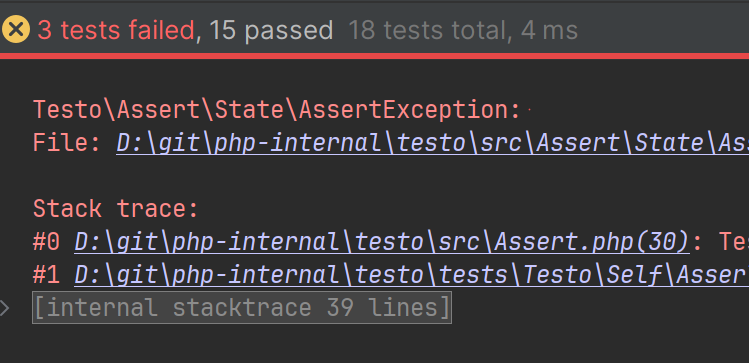
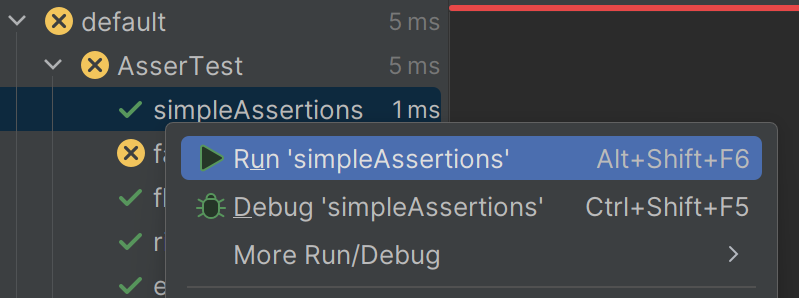
On the plugin side, you can now click on a test case, a test, or a file and run only what's selected. And @xepozz also added the ability to hide unnecessary stack traces under a spoiler. Looks amazing and very convenient.